Custom 2-D Grid Editor
This module allows you to edit custom 2-D initialize grids for the 2-D spectrum analysis (2DSA). Rectangular grids can be defined in both the sedimentation and molecular weight domain, as well as frictional ratio and partial specific volume domains. Each grid can be re-displayed in the other domains. It is also possible to define multiple grid regions and combine them into a single grid which defines multiple solute regions. Each partial grid can be defined with a different frictional ratio range, molecular weight, or sedimentation coefficient range. Each grid can also be defined with a different partial specific volume.
If you wish to define the grid to contain both sedimenting and floating species, you will need to degine a fixed frictional ratio. However, you may have variations in the partial specific volume, to account for the difference in buoyancy while maintaining a positive molecular weight.
All combined partial grids can be saved as a special model structure that can be stored in the database or on a disk to be submitted with either the desktop or supercomputing version of the 2DSA.
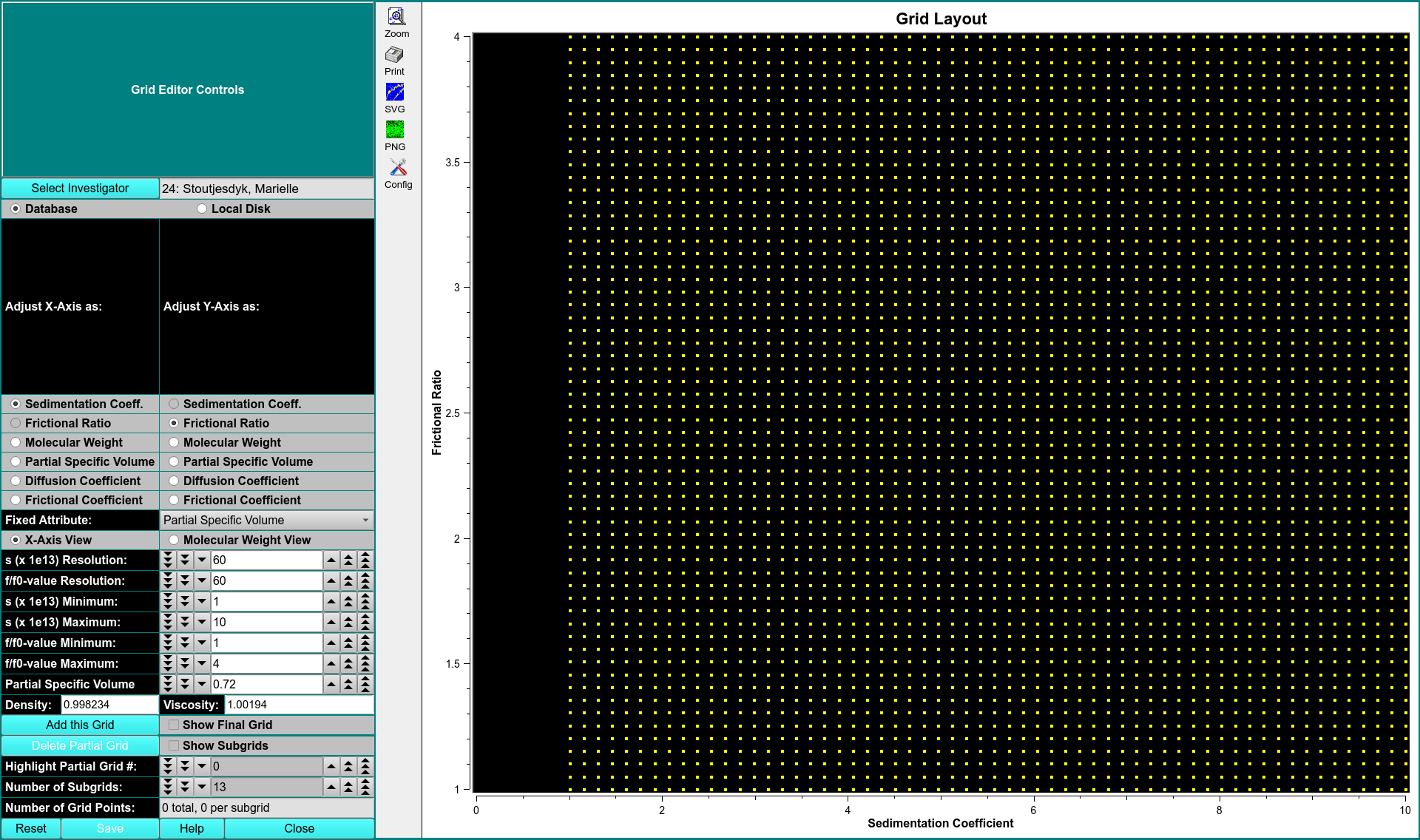
CONTROLS
\(\textbf{Adjust X-Axis}\) Here you can select the variable to use when adjusting the x-axis. Possible variables:
\(\textbf{Adjust Y-Axis}\) Here you can select the variable to use when adjusting the y-axis. Possible variables:
\(\textbf{Fixed Attribute}\)
\(\textbf{X-Axis View}\)
\(\textbf{Molecular Weight View}\)
\(\textbf{Add this Grid}\) Click here to add the currently defined grid to the final grid to be saved. Each grid should only be added one. Each added grid constitues a partial grid to the final grid. Should partial subgrids overlap, duplicate solutues will be screened out before saving the overall model including each partial grid. By adding multiple grids together, it is possible to define well-degined regions as a basis for each parameter search. An error region should be defined that usually ranges from +/- 10% of the oligomeric size.
\(\textbf{Show Final Grid}\) This checbox allows you to view the final grid. In this mode, it is not possible to make any further changes to the final grid or add new grids, but it is possible to change the view from sedimentation to molecular weight, or vise-versa.. It is also possible to delete partial grids.
\(\textbf{Show Subgrids}\) This checkbox allows you to view the layout of the subgrids that will be used in the 2DSA. The 2DSA uses a scheme by which each grid is broken down into several subgrids, each of which is analyzed independently on different processors, and the results are merged into a final grid. Each subgrid should be small enough to fit into the computer memory of the analysis program. The subgrid must also cover the parameter space evenly, and does not exlcude major regions of the search space.
\(\textbf{Highlight Partial Grid #}\)
\(\textbf{Number of Subgrids}\)
\(\textbf{Number of Grid Points}\)