Manage Investigator Data
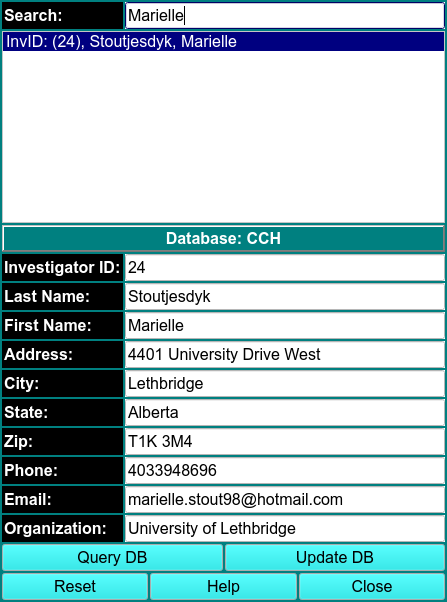
Here you can update any personal information. Your database authorizations must allow for update privilages.
-
Use \(\textbf{Query DB}\) to get a list of persons that are in the current database.
-
Entering text in the \(\textbf{Search}\) window narrows the number of entries visable.
-
Double-click on the name of the investigator to populate the line edit windows to allow for viewing and for changing of personal data.
-
Change any data desired.
-
Use \(\textbf{Update DB}\) to commit the changes to the database.
-
Use \(\textbf{Accept}\) to pass the information back to the calling program and close this dialog or \(\textbf{Cancel}\) to simply close without changing the investigator data.